Project Sababa
Introduction
Project Sababa is a web-based application aimed at enhancing networking efficiency, where a user can just search a keyword and then connect with people. This product integrates advanced data extraction capabilities and the OpenAI GPT-3 language model to automate the generation of personalized messages for sales outreach or job search activities.
Problem Statement
Sales professionals and job seekers often face difficulties in identifying relevant contacts and formulating effective communication strategies on LinkedIn. Here are a few examples of this:
John (Aspiring Full Stack Developer) - I'm looking for a job as a full stack developer. I have been practicing Leetcode for 4 months, but can't find any job leads. Who can I reach out to to get my resume out there and schedule some interviews?
Patrick (Head of Sales at Mid-Sized Company) - I'm looking to sell my startup's product to Microsoft. I know they have a massive problem that we can solve, but I can't seem to get in touch with anyone there. How do I get connected?
Catherine (Co-Founder of Product Design Startup) - I built a solution specifically designed for product designers in NYC, but can't find any email database to reach out to them to market my solution. Do you know how I can best contact product designers?
Right now, these activities usually require considerable manual effort, resulting in lower productivity and non-ideal outcomes. Some people today have aimed to automate these processes, using a variety of non-optimal solutions, such as scraping linkedin. Let's go through an example of how one could scrape LinkedIn to extract data from LinkedIn connections, and why it is not ideal.
Traditional Procedure: Scraping LinkedIn Connections
- Initialize the Selenium web driver and navigate to the LinkedIn using the following code:
wd = webdriver.Chrome('chromedriverpath')
wd.implicitly_wait(21)
url = "https://www.linkedin.com"
wd.get(url)
- Log into LinkedIn:
load_dotenv()
user_name = os.getenv("EMAIL")
password = os.getenv("PASSWORD")

user_name_box = wd.find_element(By.CSS_SELECTOR, "#session_key")
password_box = wd.find_element(By.CSS_SELECTOR, "#session_password")

user_name_box.send_keys(user_name)
password_box.send_keys(password)
- Navigate to the
My Networkpage:
my_network_button = wd.find_element(By.CSS_SELECTOR, "ul.global-nav__primary-items>li:nth-child(2)")
my_network_button.click()
- Proceed to the
Connectionspage:
connections_button = wd.find_element(By.CSS_SELECTOR, "div.mn-community-summary__section.artdeco-dropdown a:nth-child(1)")
connections_button.click()
- Scroll to the bottom of the page to load all connections:
- Extract the required information from each connection’s profile:
urls = []
all_info = []
all_connections_form = wd.find_element(By.CSS_SELECTOR, "div.scaffold-finite-scroll__content")
all_connections = all_connections_form.find_elements(By.CSS_SELECTOR, "li")
for connection in all_connections:
    connection_url = connection.find_element(By.TAG_NAME, "a").get_attribute("href")
    urls.append(connection_url)
- Save scraped data, including the name, company, and email address, in CSV format.

Limitations of Traditional LinkedIn Scraping
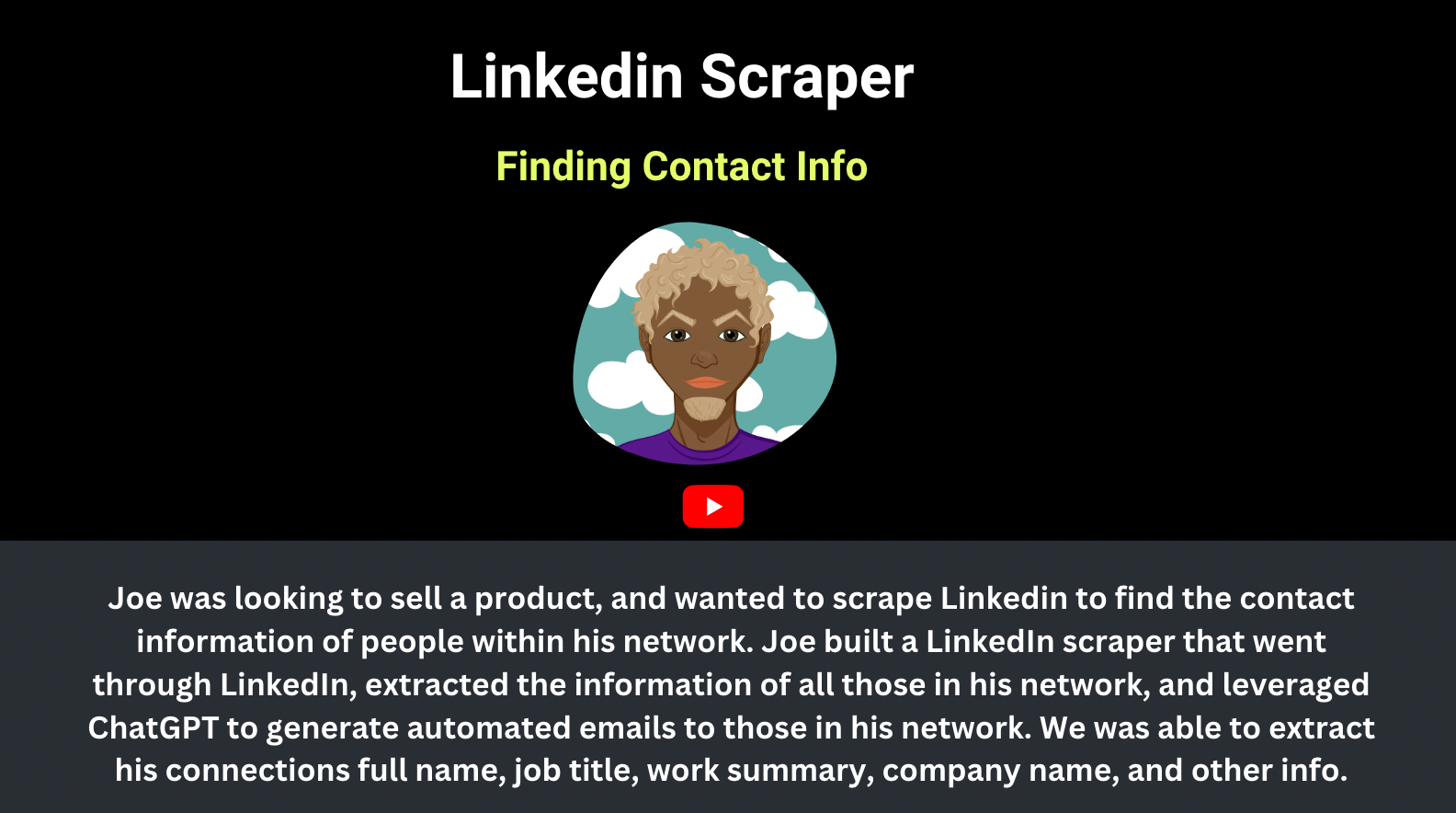
Scraping data from LinkedIn has historically been riddled with challenges and limitations. Traditional data scraping methods allowed users to extract information from a maximum of 40 connections per day before the risk of account suspension became significantly high. Furthermore, obtaining sensitive data like contact information was a formidable task due to LinkedIn's stringent data privacy policies and technical measures. It is extremely difficult to scrape a lot of LinkedIn data, at scale, to make outreach useful and optimal. As a result, people today still primarily perform the sales and job search task primarily manually, while leveraging some automation (MeetAlfred, HubSpot, Seamless for sales) to expedite the process.
Enter Project Sababa
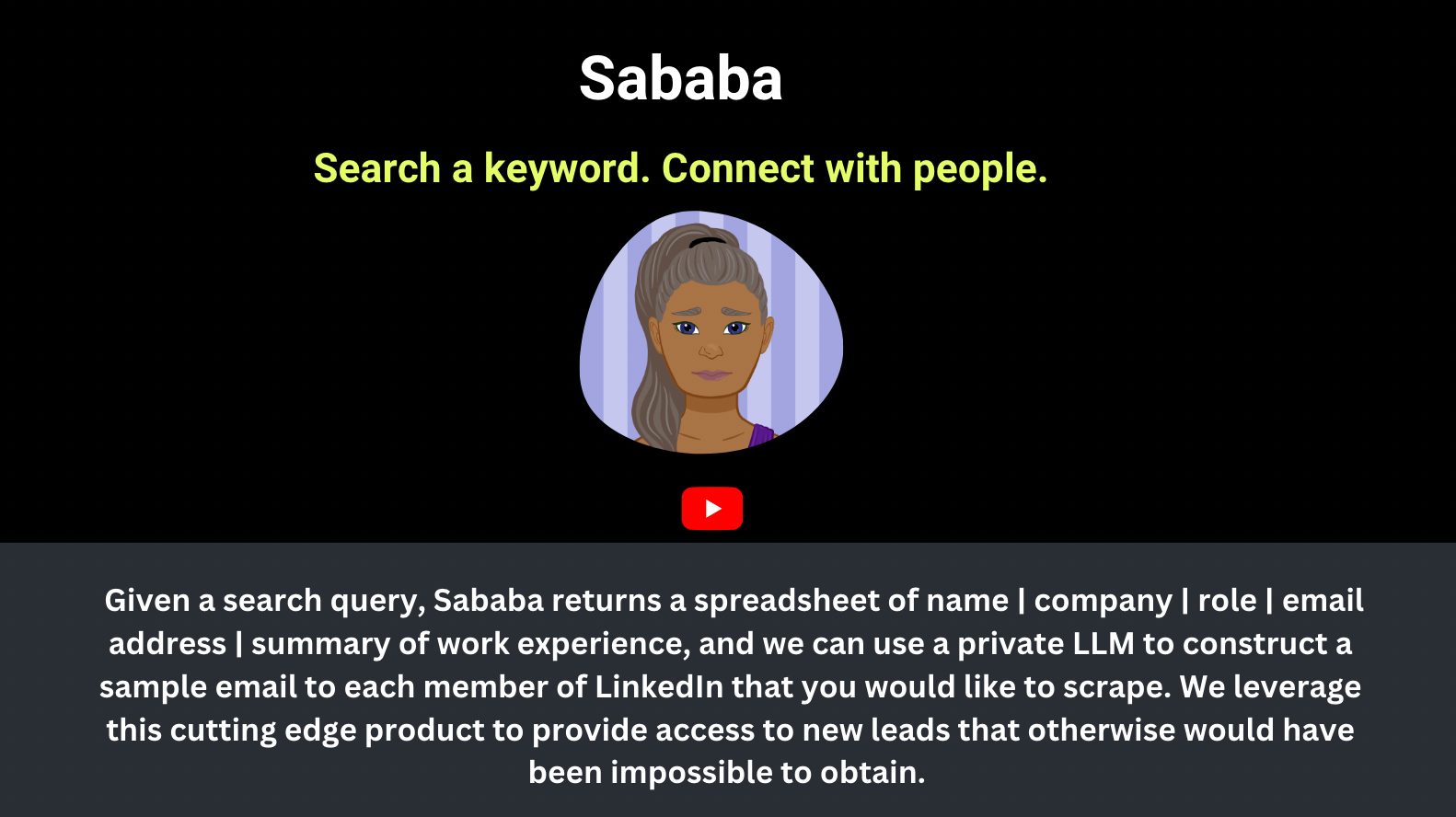
At Anote, we have developed a novel solution, Project Sababa, to overcome these limitations while respecting data privacy rules and regulations. We expanded our capabilities beyond your direct connections to include a wide range of publicly available data. This broader reach allows users to obtain extensive and useful information, including individuals' email addresses, linkedin urls and contact info. Here is how it works from a high level:
Search a keyword
Our solution integrates a keyword-based search functionality, enabling users to obtain the most relevant information. For instance, you could enter a keyword like Software Engineer or Marketing Manager to extract data related to these specific roles. For the examples above, this keywords could be Microsoft, Apple, or Product Designers in NYC.
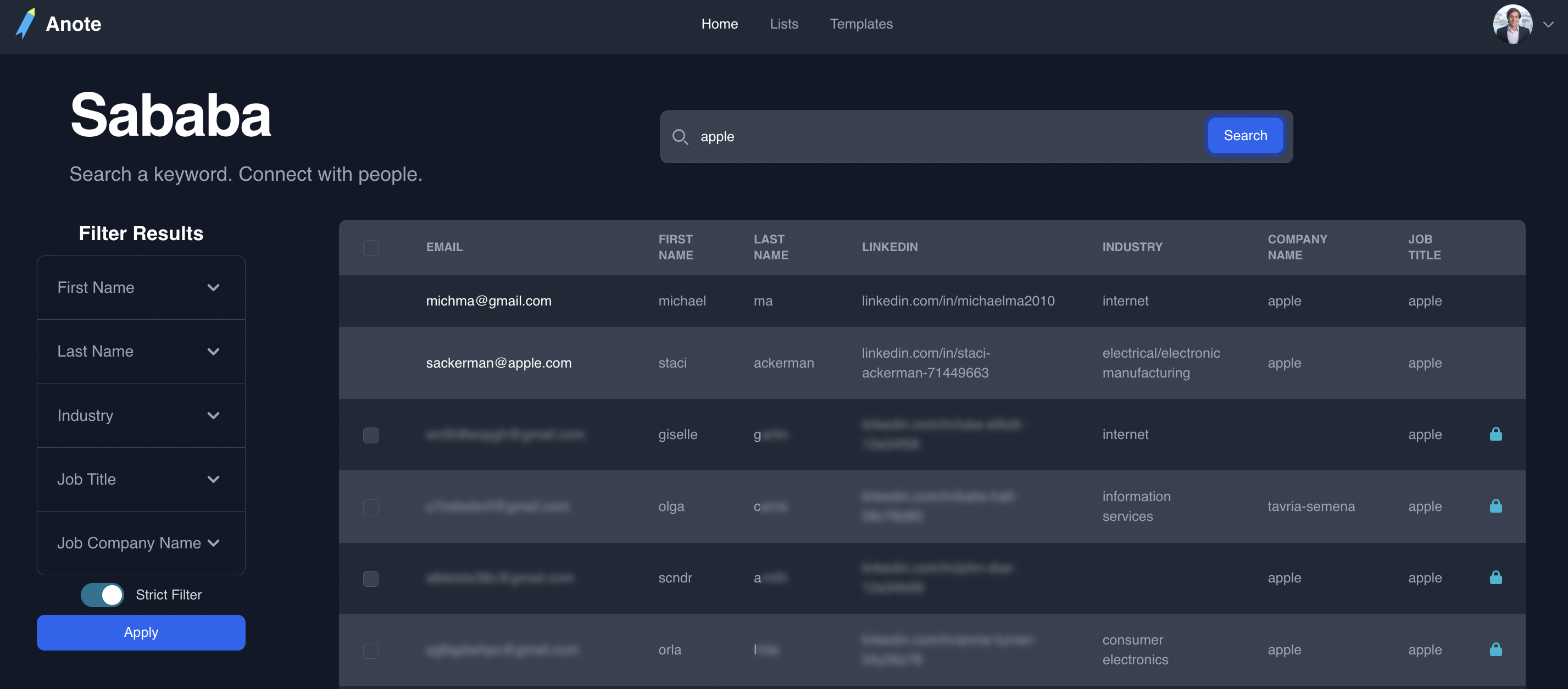
Once you search a keyword, you can unlock profiles to obtain access to the information within them. You can also filter to obtain better and more granular results.
Filter by values
Our solution enables users to filter results and obtain the most relevant information. For instance, you could filter by keywords like Job Title: Data Scientist or Industry: Finance to extract data related to these specific filters. More advanced enterprise filters include company size, location, university, inferred salary.
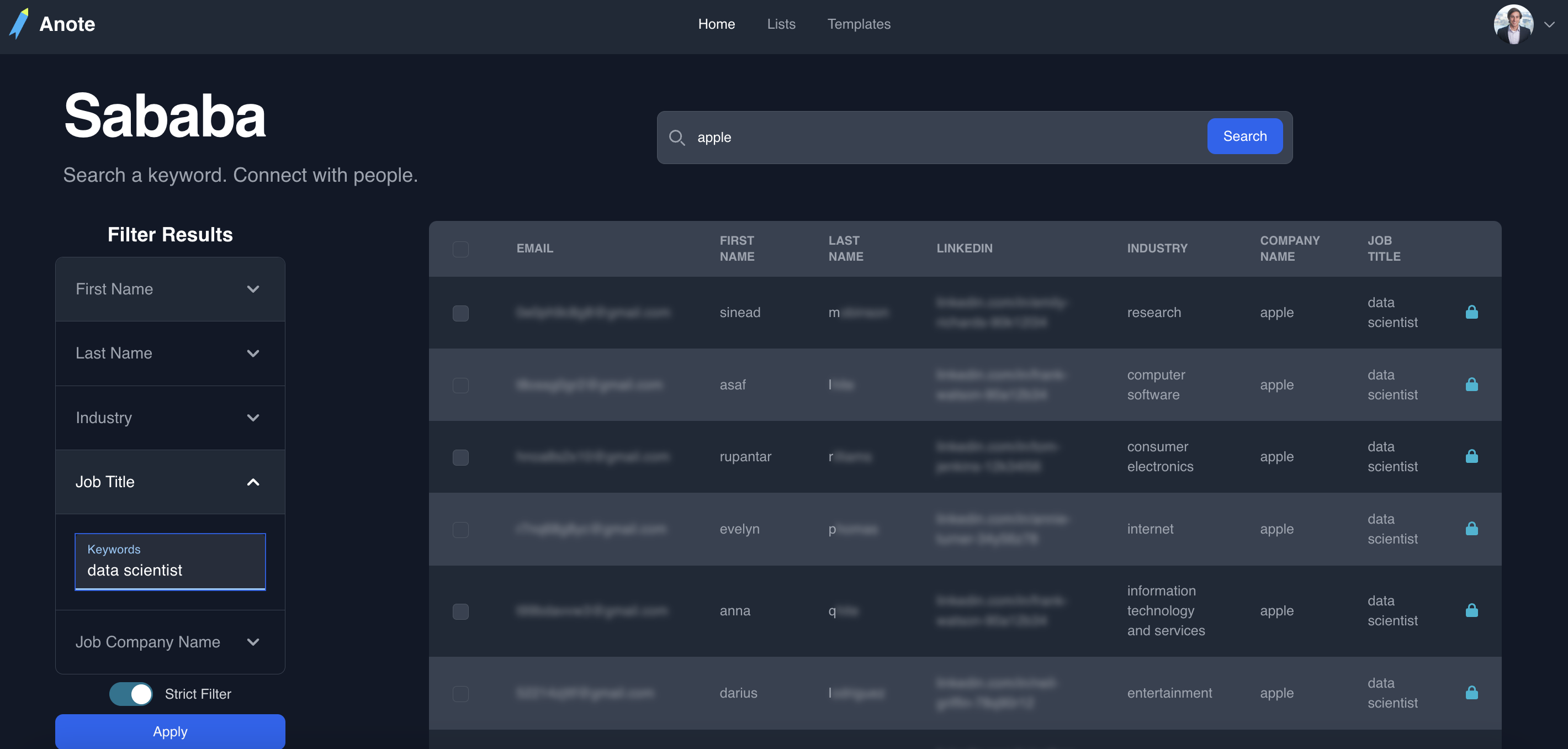
Once you filter by keyword, you can unlock profiles to obtain access to the information within them, and to add them to a list.
Lists - Download CSV of results
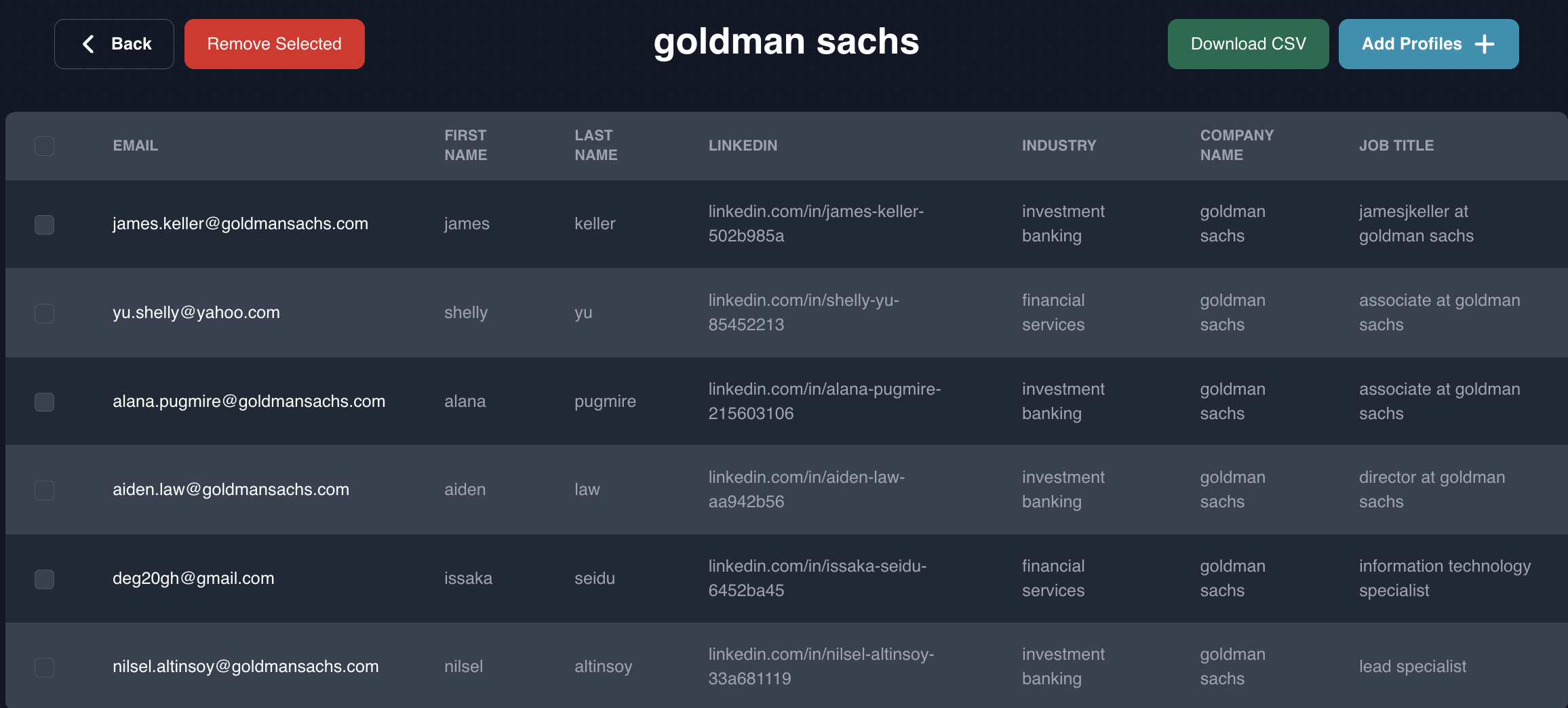
After keyword search, Project Sababa provides a user-friendly interface that displays a table of unlocked profiles in your list. You can download the outputted CSV file, which contains person's name, email, linkedin url, role, company name, and the position at company.
You can also send autogenerated emails to members of a list, via templates or campaigns.
Templates - Send Autogenerated emails
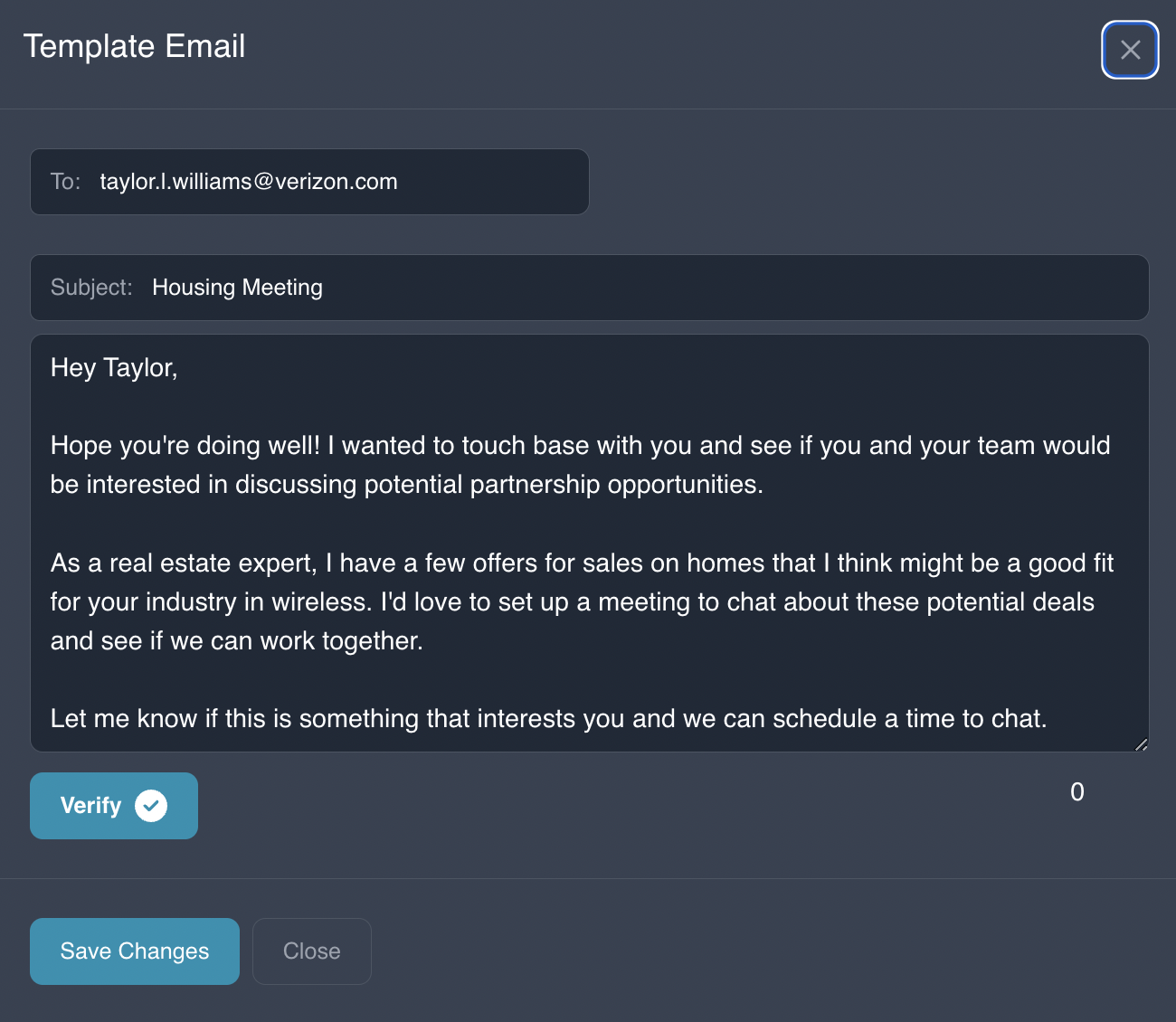
Project Sababa generates very tailored emails / custom outreach messages that you can auto-send to people (or edit) on a click of a button. To do this, Project Sababa leverages the GPT language model to generate personalized outreach messages based on the extracted data.
from api import Gpt
def generate_email(connection_data):
    gpt = Gpt()
    prompt = create_prompt(connection_data)
    email_content = gpt.chat(prompt)
    return email_content
Additionally, the interface provides an option for editing and verify the email content, allowing further customization based on specific recipient requirements.
How We Tailor Emails - Summarizing Work Experience
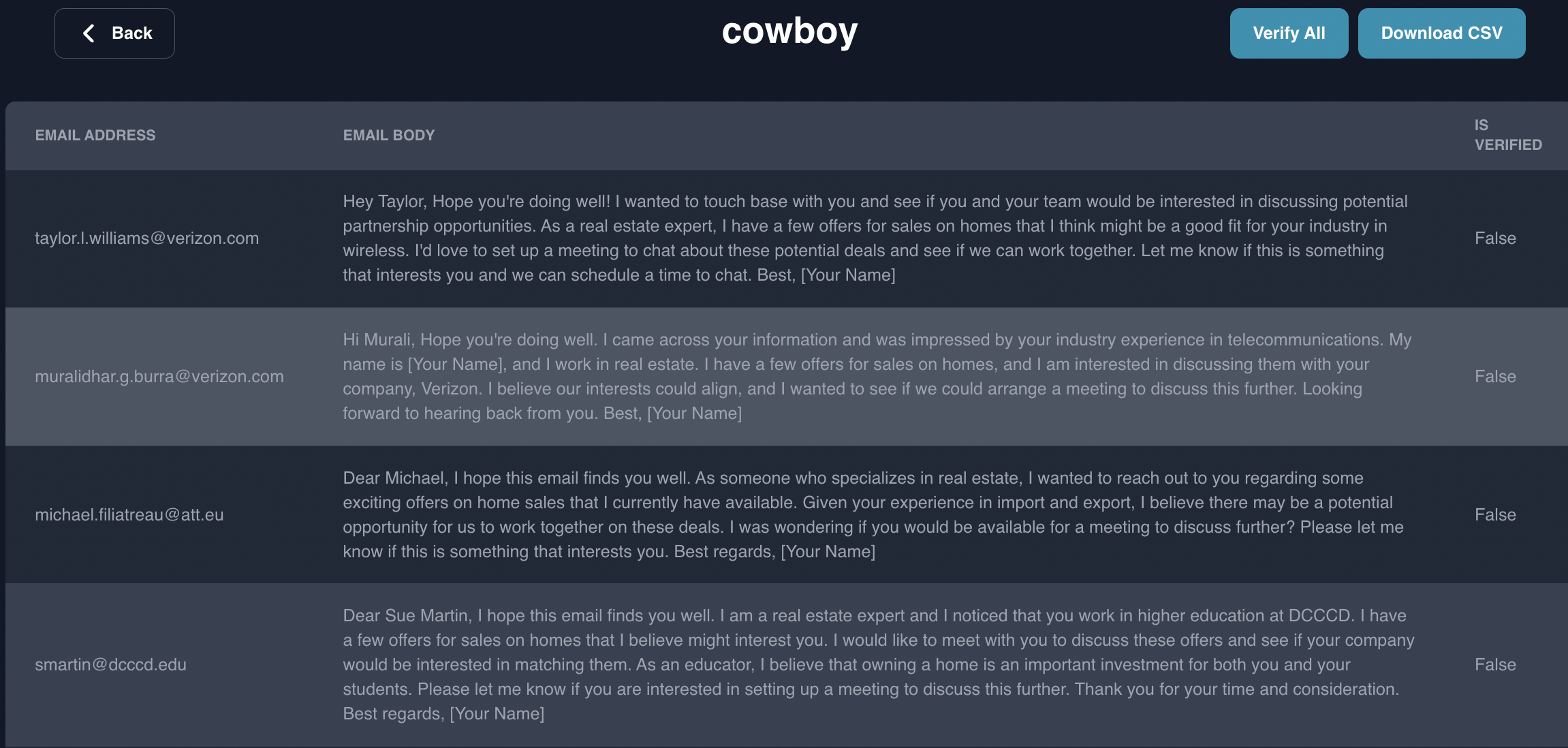
Project Sababa is able to generate tailored emails to recipients because of the function to summarize work experience in JSON format. For instance:
info = getExperience(wd)
prompt = prompt_summarize_working_info(info)
person[“working_info”] = gpt.chat(prompt)
In this code, we summarize the working_info column (in json format in the csv below), and use this to prompt GPT to send a customized message based on the working info. The user can generate a custom prompt to send the email in the format that they would like.
User Privacy and Security
It is important to note that Anote's advanced technologies in Project Sababa respects user privacy, does not involve scraping linkedin data, and is compliant with data protection regulations. We encourage users of Project Sababa to use the extracted data responsibly, respecting privacy and only using it for legitimate purposes, such as outreach for potential job candidates or targeted sales prospects.
Conclusion and Benefits
Project Sababa offers a transformative approach to networking and outreach. By leveraging automated data extraction and the GPT language model, this tool enhances efficiency for sales professionals and job seekers. With its capability to provide personalized outreach communication, users can optimize their engagement strategies. To summarize, some of the key benefits of Project Sababa include:
- Automated extraction of data from relevant contacts.
- Tailored, personalized outreach for improved engagement.
- Enhanced efficiency and time savings in sales and job search activities.